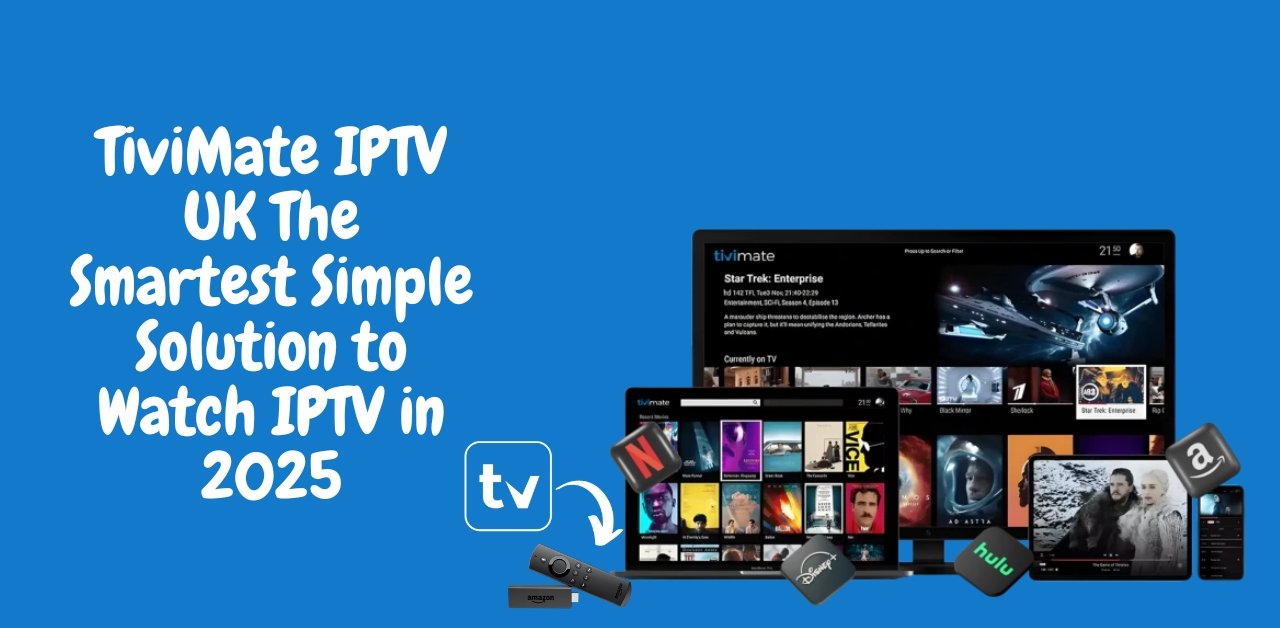
TiviMate IPTV: 7 Game-Changing Features That Make It the Best IPTV Player in 2025
How about upgrading your IPTV setup? TiviMate IPTV might be the smartest move you’ll make this year. If you’re using Fire TV Stick, Android TV, or a streaming box, TiviMate gives you unmatched control, smooth playback, and a premium user experience — all for a small yearly fee.
Let’s break it all down and show you why IPTV users love this app.
Main Takeaways
- TiviMate IPTV is only a media player – you need to bring your own IPTV playlist
- Works on Android TV, Fire TV Stick, Nvidia Shield, and other Android-based TVs
- No channels are included in the app — it’s not a provider
- Clean interface, smooth channel switching, and lots of customization
- Premium version unlocks recording, multiview, EPG, and more
- One of the best apps to pair with providers like British Stream TV
- Premium is only ~$5/year and setup takes less than 5 minutes
What Is TiviMate IPTV?
TiviMate IPTV is a modern IPTV player built for Android-based devices. It lets you stream live TV, VOD, and series from any IPTV provider using M3U or Xtream Codes.
Important: TiviMate does not include channels. It’s a player — not a provider.
Use it to manage playlists, record shows, watch catch-up, and browse a sleek interface. It’s like giving your IPTV a complete upgrade in terms of usability and layout.
How to Install TiviMate IPTV on Android TV
If you’re using a Smart TV or Android box with Google Play:
- Open the Google Play Store
- Search for TiviMate IPTV Player
- Click Install
- Done — the app is ready to go!
How to Install TiviMate IPTV on Fire TV Stick
Fire TV Stick doesn’t support Google Play, so you’ll use the Downloader method:
- On your Fire TV Stick, install the Downloader app from the Amazon Appstore
- Open Downloader and enter code 272483
- Download and install the TiviMate APK
- Launch the app and begin setup
Need help? Watch this step-by-step video tutorial on how to download the Downloader app on your Fire TV Stick.
How to Get TiviMate Premium (Optional but Recommended)
The free version is very limited — no multiview, no recording, no favourites. To unlock all features, you’ll want TiviMate Premium.
Here’s how to activate it:
- On your phone, install the TiviMate Companion App
- Sign in or create an account
- Purchase Premium via Google
- On your TV, log in with the same account in the TiviMate app
Cost: Around $5/year. One-time activation.
How to Set Up IPTV on TiviMate IPTV
You’ll need an IPTV subscription that supports the Xtream Codes API. Get the following from your provider:
- Server URL
- Username
- Password
Once you have it:
- Open TiviMate
- Click Add Playlist
- Select Xtream Codes login
- Enter your info
- Hit Next — your channels will load!
Want a reliable IPTV provider? Try British Stream TV — they’re fully compatible with TiviMate and offer:
- 30,000 live channels
- 190,000+ movies and series
- 7-day catch-up
- VPN support
- Optimized for Firestick & TiviMate
- 24/7 WhatsApp + Email support
- Free 24h trial
Top Features of TiviMate IPTV in 2025
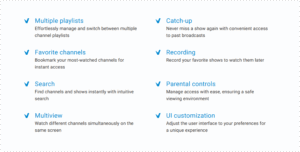
TiviMate Premium unlocks a ton of powerful features:
- Multiple Playlists – Easily switch between providers
- Catch-up Support – Watch what you missed
- Recording – Save shows to watch later
- Favourite Channels – Quick access to your top content
- Search Tool – Find channels and shows instantly
- Parental Controls – Restrict access to content
- Multiview – Watch multiple channels on one screen
- Custom UI – Adjust layout, themes, and navigation
Why TiviMate IPTV Is So Popular
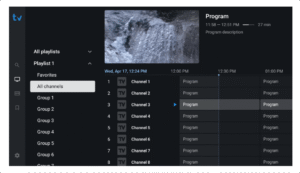
People switch to TiviMate and never look back. Why?
- Blazing-fast interface with zero lag
- Smart EPG (TV guide) with clean channel grouping
- It’s private — no ads, no spying, no fluff
- Works with any IPTV provider that supports M3U or Xtream
- It just makes IPTV feel premium
Why You Still Need to Pay for the App
Many ask: “Why do I need to pay for TiviMate if I already pay for IPTV?”
Here’s the truth:
- TiviMate is just a media player, not a provider
- Your IPTV subscription gives you the content
- The app gives you the player and interface to view it
- You’re paying for features, stability, recording, and updates
- Apps like this keep your viewing smooth, private, and secure
Think of it like buying a great remote or smart TV interface. It enhances your experience but doesn’t come with the content.
FAQs About TiviMate IPTV
Which is better, IPTV Smarters or TiviMate?
TiviMate is better for advanced users and Android TV setups. IPTV Smarters is more beginner-friendly. For a premium experience and custom layouts, TiviMate wins.
How much is TiviMate?
TiviMate Premium is around $5 per year via the TiviMate Companion app.
Is TiviMate IPTV safe to use?
Yes. It’s a legal media player. It doesn’t host or provide any content, so it’s safe and clean.
Does TiviMate include channels?
No. TiviMate is a player only. You need an IPTV subscription with M3U or Xtream Code access to stream anything.
Conclusion
In conclusion, TiviMate IPTV continues to dominate 2025 thanks to its powerful features, clean interface, and exceptional stability. With advanced tools like multi-view, catch-up support, and a fully customizable layout, it delivers a streaming experience that most IPTV players cannot match. When paired with a reliable IPTV service, TiviMate becomes the ultimate solution for anyone who wants smooth, organized, and frustration-free entertainment.
Leave a Reply