Smart One IPTV – One of the Best IPTV Apps for All Smart TVs in 2025
Introduction
If you’ve been searching for an IPTV player that works smoothly on both new and older Smart TVs, then Smart One IPTV is one of the best options available. It has become a popular IPTV player in the UK due to its speed, simplicity, and support for major Smart TV brands, including Samsung, LG, Hisense, and Panasonic. However, there is one important thing beginners often overlook. Smart One IPTV does not include channels or subscriptions. It works only as a player. In other words, it acts like a TV without cable. To watch anything, you must connect it to a playlist from a provider such as British Stream TV. In this guide, you will learn what Smart One IPTV is, how it works, and how to install, activate, and use it—step by step.
Main Takeaways
- Smart One IPTV is a media player, not a provider. You must add your own IPTV playlist.
- It works on Samsung (Tizen), LG (webOS), VIDAA OS, Foxxum, Vestel TVs, and Android TVs.
- It is not available on Fire TV Stick yet, although support is coming soon.
- Compatible with Xtream Codes and M3U playlists.
- Includes fast zapping, EPG, catch-up, parental lock, radio, and more.
- Offers a 1-day free trial, followed by activation (€12.99 lifetime or €2.50/year).
- Setup takes only a few minutes.
- British Stream TV provides a free 24-hour IPTV trial.
What Is Smart One IPTV?
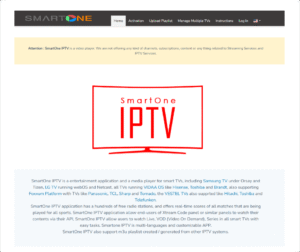
Smart One IPTV is a lightweight video player built specifically for Smart TVs. It does not host channels or content. Instead, it allows you to upload IPTV playlists in M3U or Xtream Code format.
If your IPTV provider (such as British Stream TV) gives you an M3U link or Xtream login, you can upload it to Smart One IPTV and start watching.
It works on:
- Samsung TVs (Tizen, Orsay)
- LG TVs (webOS, Netcast)
- VIDAA OS TVs (Hisense, Toshiba)
- Foxxum platform (Panasonic, Sharp, TCL)
- Vestel TVs (Telefunken, Hitachi)
- Android TV devices
Benefits of Using Smart One IPTV
Smart One IPTV offers several useful features. Additionally, it provides excellent performance across different TV brands. Some key benefits include:
- Fast channel switching
- Multi-TV management
- Customizable themes and colours
- Parental lock
- Free radio stations
- Built-in sports scores
- EPG support
- Catch-up compatibility
- Multilingual interface
How to Install Smart One IPTV (Step-by-Step)
A. Installation on Samsung or LG TVs
- Connect your TV to Wi-Fi
- Open the TV App Store
- Search for SmartOne IPTV
- Install and open the app
- Copy the MAC address displayed on your screen
B. Installation on Android TV
- Open Google Play Store
- Search for SmartOne IPTV
- Install and open
- Copy your TV’s MAC address
Note:
Smart One IPTV does not support Fire TV sticks yet. The developers say support will be added soon.
How to Upload Your IPTV Playlist
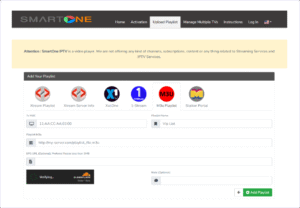
After installing the app, it will show an empty screen. To add channels:
- Open the Smart One IPTV Playlist Page
- Enter your TV’s MAC address
- Add a playlist name
- Paste your M3U link or Xtream login
- Complete the CAPTCHA
- Click Add Playlist
- Restart the app on your TV
Watch full upload tutorial here
Smart One IPTV Activation (After Free Trial)
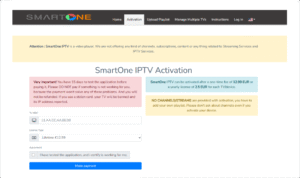
After your 1-day free trial, the app will ask for activation. To activate it:
- Go to the Smart One IPTV Activation Page
- Enter your MAC address
- Select a plan:
- €12.99 for a lifetime license
- €2.50 per year
- Confirm that the app is working
- Complete your payment
Always check your playlist before activation because refunds are not offered.
How to Enable the EPG (TV Guide)
If you receive an EPG link from your provider:
- Open Smart One IPTV
- Go to Settings
- Paste your EPG URL
- Save and restart the app
Try British Stream TV – Free 24-Hour Trial.
If you need a reliable IPTV provider, British Stream TV is one of the top choices. It works perfectly with Smart One IPTV.
You get:
- 30,000+ live channels
- 190,000+ movies and series
- UK and US premium content
- 4K, HD, and SD streaming
- 7-day catch-up
- Fast activation
- 24/7 customer support
British Stream TV Plans and Pricing
Single Connection Plans
Best for solo users.
| Duration | Price | Benefits |
|---|---|---|
| 1 Month | £14.99 | Full access to UK/US channels and VOD |
| 3 Months | £24.99 | Good short-term value |
| 6 Months | £34.99 | Popular mid-term plan |
| 12 Months | £49.99 | Best long-term option |
Only one device can stream at a time. You must log out before switching.
Two Connection Plans
Perfect for families or homes with multiple devices.
| Duration | Price | Benefits |
|---|---|---|
| 1 Month | £19.99 | Stream on two devices |
| 3 Months | £34.99 | Stable and easy to use |
| 6 Months | £54.99 | Flexible for longer use |
| 12 Months | £89.99 | Best monthly value |
You receive separate login details for each device.
What All Plans Include
- 30,000+ channels
- 190,000+ movies & series
- Catch-up (7 days)
- 4K/FHD/HD/SD streams
- Smart One IPTV, B1G APP & IPTV Smarters support
- Private and secure connection
- Instant activation
- 24/7 help
Payment options include cards, PayPal, crypto, and bank transfer.
Buy your British Stream TV subscription now
or
Try it free for 24 hours and test everything first
FAQs
Is Smart One IPTV free?
Yes. The app includes a 1-day free trial.
Does it come with channels?
No. You must upload your own playlist.
Is Smart One IPTV legal?
Yes. It is only a media player.
Does it work on Samsung TVs?
Yes, it works smoothly.
Is it available on Fire TV Stick?
Not yet.
Where do I upload my playlist?
On the Smart One IPTV Playlist Page.
Which IPTV provider is recommended?
British Stream TV offers a free 24-hour trial.
Conclusion
Smart One IPTV is an excellent choice for anyone who wants a clean and reliable IPTV player that supports multiple Smart TV brands. It is lightweight, customizable, and compatible with popular IPTV formats like Xtream Codes and M3U. When combined with a trusted provider such as British Stream TV, you get a complete streaming setup with 4K support, EPG, catch-up, and stable performance. Therefore, if you want an easy and powerful IPTV experience in 2025, Smart One IPTV paired with British Stream TV is one of the best combinations available.
Leave a Reply